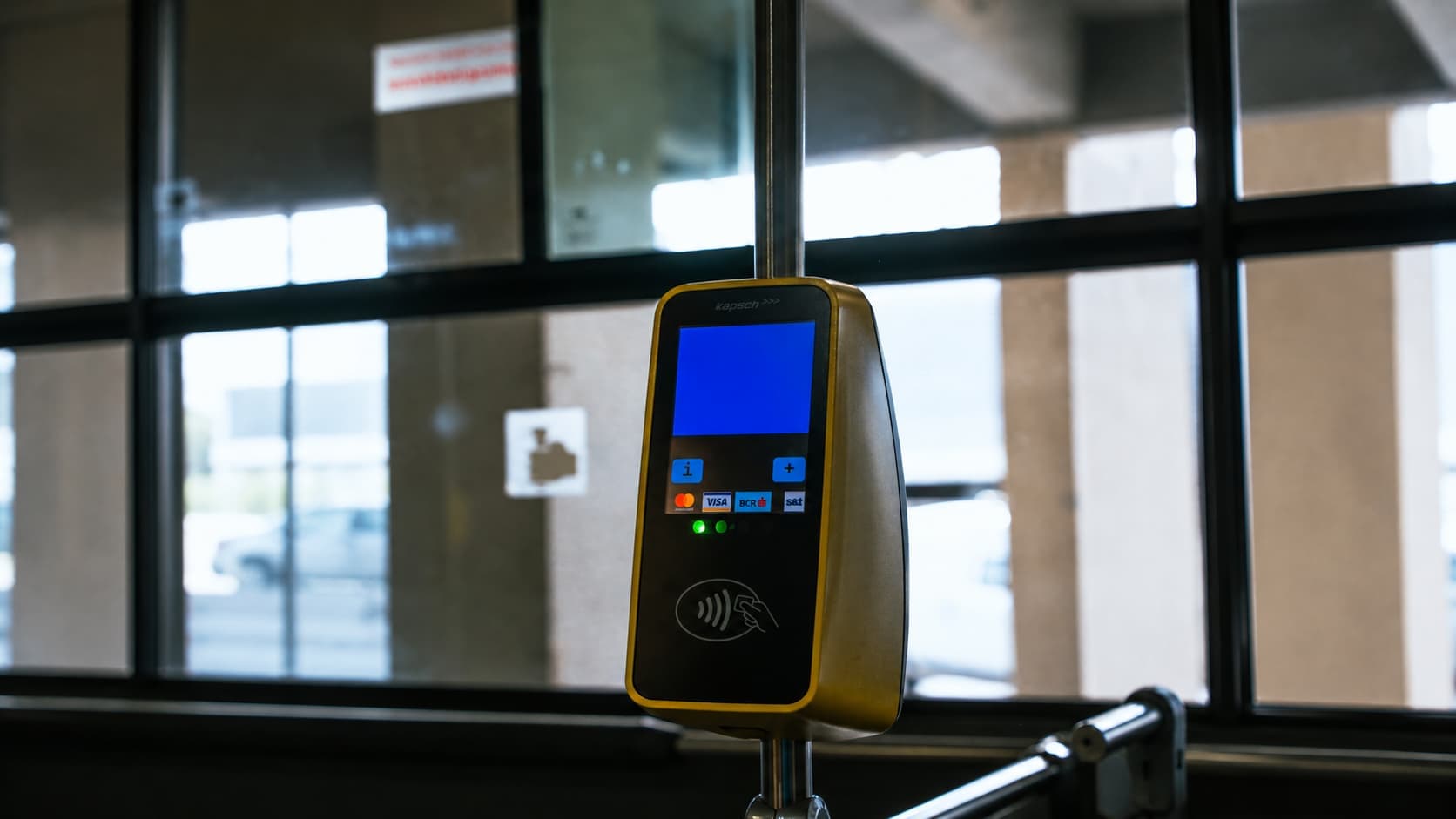
NFC stands for Near Field Communication. It is a small chip inside your phone that lets your device talk to another device or object when they are very close together, usually within four centimetres. You use NFC every time you pay with your phone, tap a metro card, scan a sticker, or pair a Bluetooth speaker by touch. Almost every modern iPhone and Android phone has an NFC chip built in, and most of the time it is already turned on. This guide explains what NFC means, how it works, what you can do with it, and how to turn it on if it is off.
NFC Meaning: What It Stands For
NFC means Near Field Communication. It is a wireless technology that sends small amounts of data between two devices when they are held next to each other. It is built into the NFC chip inside your smartphone.
Think of it as a very short tap-to-share signal. No app to open. No code to scan. No password. You bring two NFC devices together and they exchange information in less than a second.
How NFC Works in Simple Terms
NFC uses radio waves at a specific frequency (13.56 MHz). When two NFC devices come close, one sends a signal and the other answers.
There are two main roles an NFC chip can play:
Active mode: your phone sends out a signal. This is what happens when you pay or share a contact.
Passive mode: your phone reads a signal from something with no battery, like an NFC tag or a transport card.
The data exchanged is very small. We are talking about a few hundred bytes, not files or videos. That is why NFC is fast, low-power, and works without an internet connection.
Feature | NFC |
|---|---|
Range | Around 4 cm |
Speed | Up to 424 kbps |
Internet needed | No |
Power use | Very low |
Typical use | Payments, tags, transport, pairing |
What You Can Do With NFC on Your Phone
1. Contactless Payment
This is the most popular use. You add a card to Apple Pay or Google Wallet, hold your phone near the payment terminal, and the payment goes through. The payment is protected because your real card number is never sent to the shop.
2. Reading NFC Tags
An NFC tag is a small sticker or chip with no battery. When you tap your phone on it, it can do something: open a website, share Wi-Fi, start a playlist, or turn on a smart home routine. NFC tags are used in posters, restaurant menus, business cards, and product packaging.
3. Public Transport and Tickets
In some cities, you can tap your phone on a transport gate instead of using a paper ticket or a transit card. The phone acts like the card.
4. Identity and Official Documents
The NFC chip in your passport or national ID can be read by official scanners at airports and government offices. This is why passport gates work so fast.
5. Fast Bluetooth Pairing
Some speakers, headphones, and cars use NFC to start a Bluetooth connection. You tap, and the two devices pair without going through menus.
6. Sharing Between Phones
Two phones held together can swap a contact, a photo, or a link. iPhones use NameDrop, which uses NFC to detect that two phones are close, then sends the data over AirDrop. Android phones use Quick Share or similar features.
How to Turn On NFC
On most phones NFC is already on. If it is not, here is how to enable it.
Enable NFC on iPhone
On modern iPhones (iPhone XS and later), NFC is always active and scans tags automatically when you hold the top of your phone near them. If you are using an older model like the iPhone 7, 8, or X, you will need to open your Control Center and tap the manual NFC Tag Reader icon to start a scan.
For payments on any iPhone with NFC, open the Wallet app or double click the side button.
Enable NFC on Android
Steps may vary slightly by brand, but the general path is:
Open Settings
Tap Connected devices or Connections
Tap NFC or NFC and contactless payments
Switch it on
If you do not see NFC in your settings, your phone may not have an NFC chip. Most budget phones from before 2020 do not have one.
Is NFC Safe to Use?
NFC is one of the safer wireless technologies for everyday use. Because the range is only a few centimetres, it is very hard for someone to intercept your data without you noticing.
Payments are protected by something called tokenisation. Instead of sending your real card number, your phone creates a one-time code for each payment. The shop receives the code, your card details never leave your phone, and even if the code is intercepted it cannot be reused.
Some good habits to follow:
Lock your phone when you are not using it
Only tap NFC tags from sources you trust
Keep your phone software up to date
NFC vs Bluetooth vs QR Code
NFC is often compared to two other ways of connecting or sharing. Here is the short version.
Technology | Range | Speed | Internet needed | Best for |
|---|---|---|---|---|
NFC | 4 cm | Low | No | Tap actions, payments |
Bluetooth | Up to 10 m | High | No | Audio, file transfer |
QR code | Camera distance | Depends | Often yes | Menus, links |
NFC is the fastest for short, simple actions. Bluetooth is better when you need to send more data or stay connected for longer. QR codes are useful when there is no chip, just a printed pattern.
Why Your Mobile Connection Still Matters
NFC itself does not use mobile data. The tap is direct and almost always works. The problem is what comes after.
Your payment app still needs to sync the transaction. The NFC tag at a restaurant opens a menu URL that has to load. The transport gate opens, but your ticketing app needs data to confirm the trip. At home on Wi-Fi you never notice this. Abroad, if your signal drops or roaming kicks in, the tap goes through but the next step stalls.
This is where a flexible mobile plan changes everything. Firsty is a global eSIM that sits on your phone alongside your normal SIM and gives you reliable data in 176 countries through one app.
Firsty Free: basic-speed data worldwide just by watching short ads. No contract, no hidden fees.
Firsty Unlimited: pay-per-day in 176 countries. Classic prepaid bundles from 0.5 to 50 GB, or Unlimited from €2 per day with 5 GB per day at full speed.
Firsty Monthly: €39.50 per month for ultra-fast unlimited data in 176 countries.
Already have the app? Open it, install the eSIM, and you are connected. No number changes. No SIM swap.
Something is also coming for Belgium. Stay tuned, because things are moving.
Firsty. You're free to connect.
FAQ
What does NFC stand for on a phone?
NFC stands for Near Field Communication. It is a short range wireless technology built into most modern smartphones that lets two devices exchange small amounts of data when they are held within about 4 cm of each other.
What is NFC used for on a smartphone?
NFC is used for contactless payments with Apple Pay or Google Wallet, scanning NFC tags, public transport tickets, fast Bluetooth pairing, reading passports and ID cards, and sharing contacts or links between phones.
How do I know if my phone has NFC?
On iPhone, all models from iPhone 7 onwards have NFC. On Android, open Settings and search for "NFC". If the option appears under Connected devices or Connections, your phone has NFC. If it does not appear, your phone does not have an NFC chip.
How do I enable NFC on my Android phone?
Go to Settings, tap Connected devices or Connections, tap NFC, and switch it on. The exact wording can vary by brand such as Samsung, Google Pixel, or Xiaomi, but the option is always in the connection settings.
How do I enable NFC on iPhone?
On iPhone XS and later, NFC is always on and scans tags automatically when you hold the top of your phone near them. On iPhone 7, 8, and X, you need to open Control Center and tap the NFC Tag Reader icon to start a scan.
Is NFC safe for payments?
Yes. NFC payments use tokenisation, which means your phone sends a one-time code instead of your real card number. Even if intercepted, the code cannot be reused. The short range of NFC (around 4 cm) makes interception very unlikely in the first place.
Does NFC use mobile data or Wi-Fi?
NFC itself does not use mobile data or Wi-Fi. The connection between the two NFC devices is direct. However, what happens after the tap, such as opening a link or confirming a payment, often needs an internet connection. A global eSIM like Firsty keeps that connection working in 176 countries, so your NFC actions stay seamless when you travel.
What is the difference between NFC and Bluetooth?
NFC works within about 4 cm and is built for quick taps such as payments and tags. Bluetooth works up to 10 metres and is better for audio, file transfer, and longer connections. NFC is faster to start, Bluetooth carries more data.
What is an NFC tag?
An NFC tag is a small sticker or chip with no battery that stores a tiny piece of information. When you tap your phone on it, it can open a website, share Wi-Fi, play music, or trigger a smart home action.
Does NFC work without internet?
Yes. The tap itself works without internet because the two devices communicate directly. Anything that happens after the tap, such as loading a webpage or confirming a payment in an app, will need a data connection.